




 USD
USD EUR
EUR GBP
GBP CAD
CAD AUD
AUD HKD
HKD JPY
JPY KRW
KRW SGD
SGD NZD
NZD THB
THB TWD
TWD English
 繁體中文
繁體中文 日本語
日本語 한국어
한국어 ไทย
ไทย Bahasa Indonesia
 Français
 Español
 Deutsch
 Português
 Nederlands
 Tiếng Việt
By EVPADPro | 24 April 2026 | 0 Comments
How To Pair Bluetooth With EVPAD TV Box?
If the voice function is not working with your EVPAD TV box, it’s likely that the remote control hasn’t been paired yet.
Please follow the steps below:
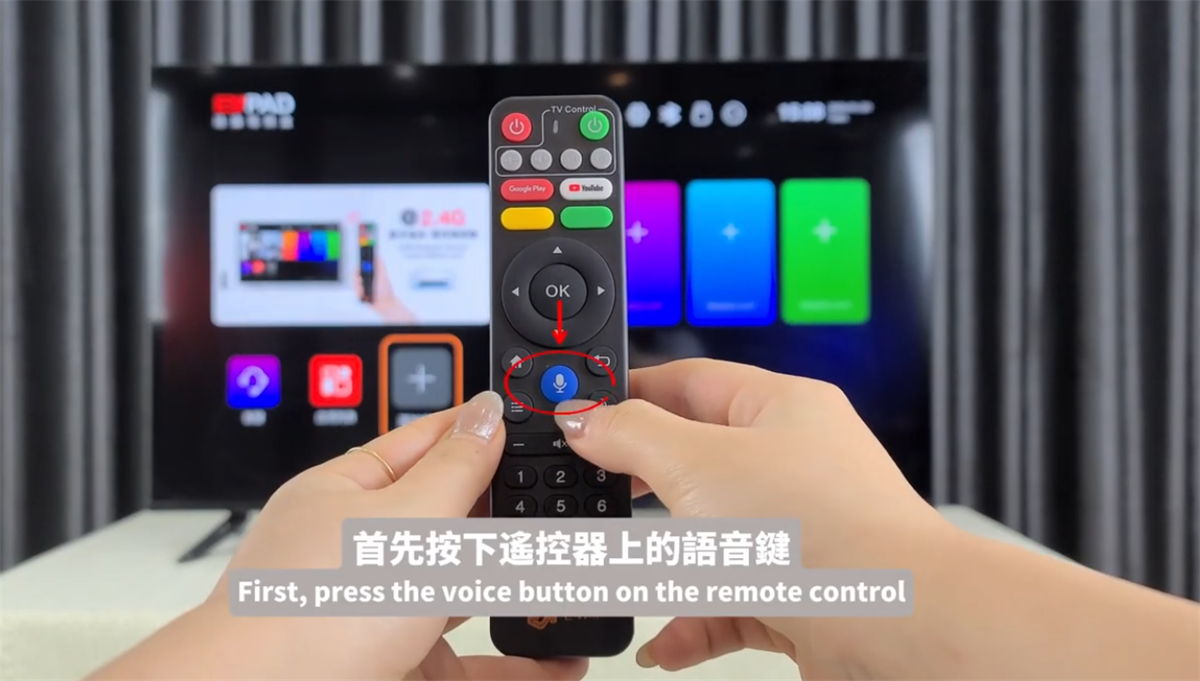
1. Press the “Voice” button on the remote control
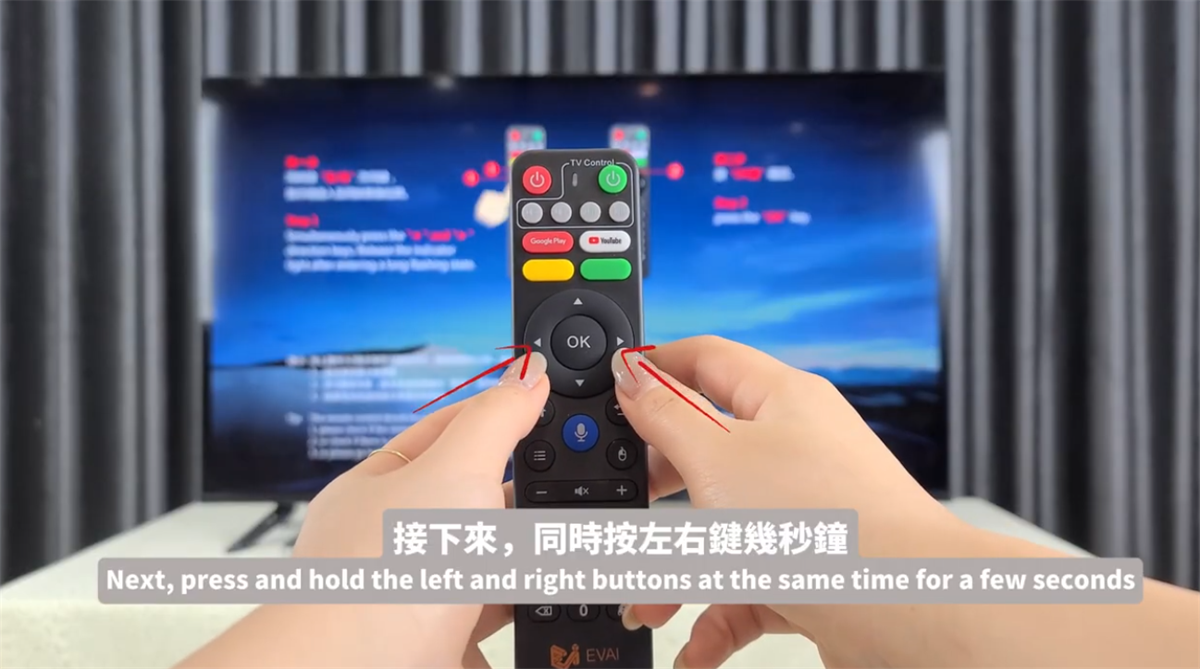
2. Press and hold the “Left + Right” buttons at the same time for a few seconds
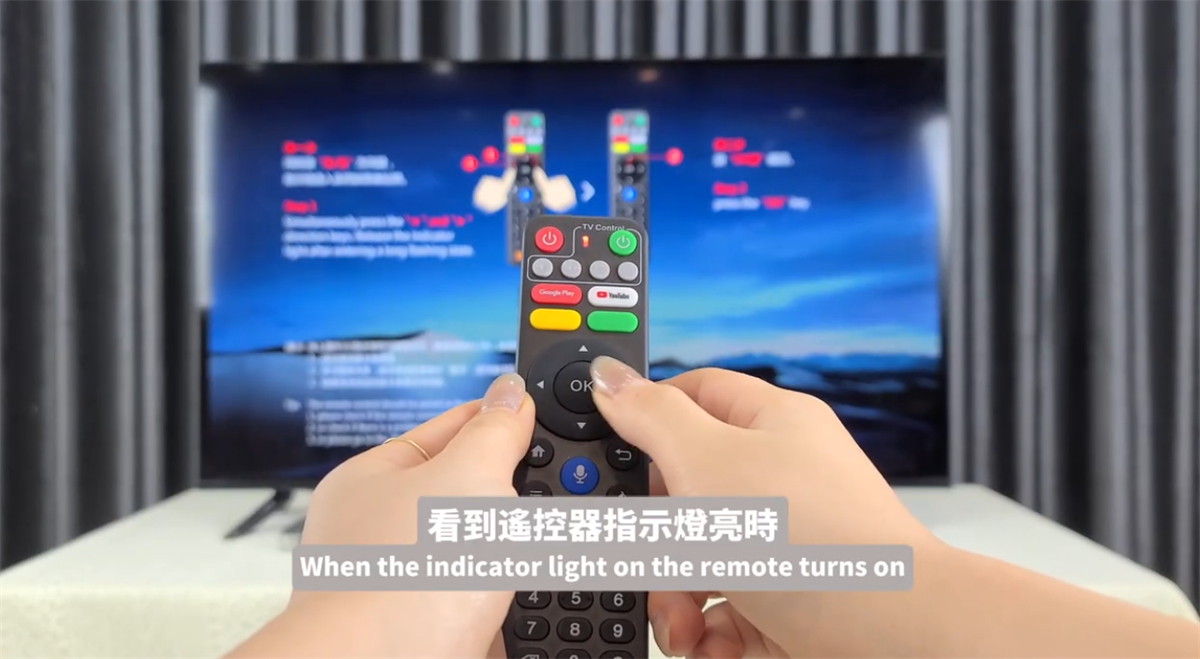
3. When the indicator light turns on, press the “OK” button to complete the pairing
Once pairing is complete, EVPAD will operate more smoothly,with no need to point the remote at the TV, making it more convenient to use.
Just press the voice button and say what you want to watch—the system will open it instantly. Give it a try now!
Please follow the steps below:
1. Press the “Voice” button on the remote control
2. Press and hold the “Left + Right” buttons at the same time for a few seconds
3. When the indicator light turns on, press the “OK” button to complete the pairing
Once pairing is complete, EVPAD will operate more smoothly,with no need to point the remote at the TV, making it more convenient to use.
Just press the voice button and say what you want to watch—the system will open it instantly. Give it a try now!



